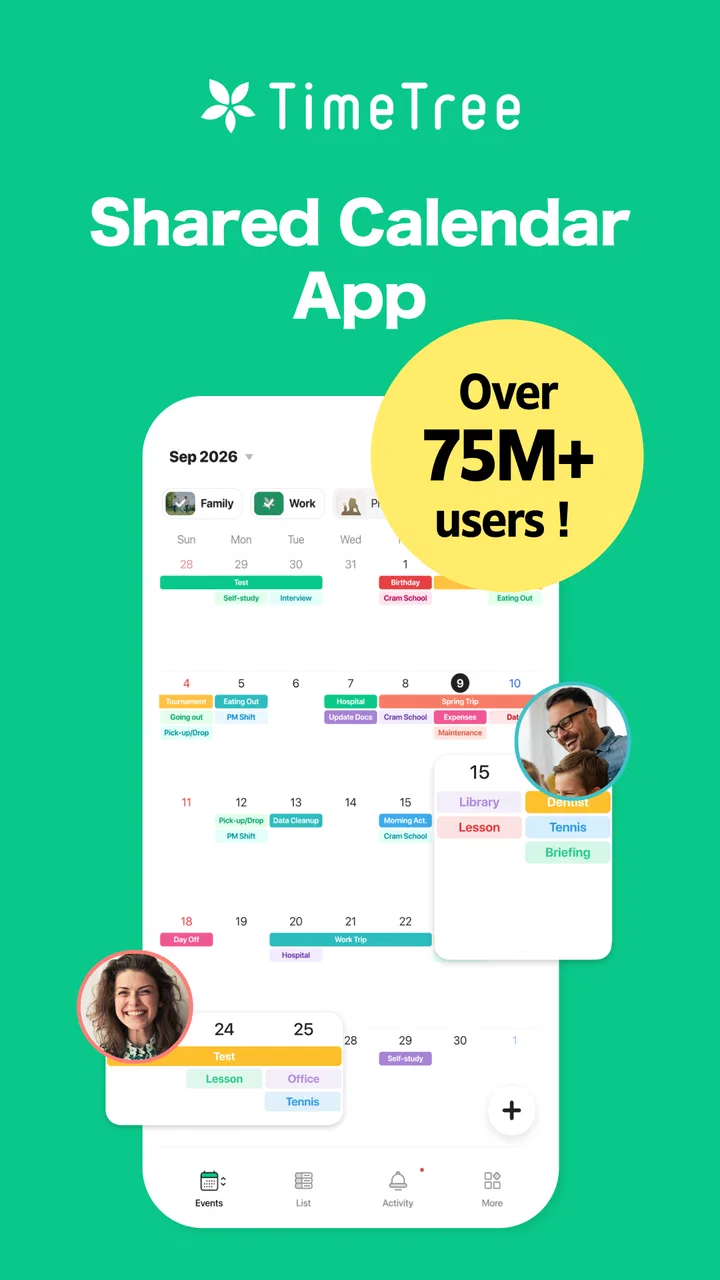
TimeTree - Shared Calendar
- 4.7
- Rating
- 10.00M
- Installs
- Free
- Price

 Analysis by App-foxy
I usually judge a shared calendar by what happens after the first setup: does it remain easy when several people add plans, change times, and check it from different devices? TimeTree - Shared Calendar is built around that everyday problem rather than around personal scheduling alone. I found it most interesting for households, couples, friends, and small groups that need one visible place for plans without turning every change into another message.
It is a free productivity app from TimeTree, Inc., available for everyone, with optional in-app purchases ranging from $0.49 to $44.99 per item. The basic appeal is simple: create a calendar that other people can share, then use it as a common reference instead of keeping separate calendars and trying to reconcile them manually. That sounds modest, but the difference between a useful shared calendar and an annoying one is usually the workflow around changes, ownership, and visibility.
How TimeTree feels in everyday use
I find a shared calendar most useful when it changes how a group makes decisions, not just where it writes them down. Here, I’ll look at the small habits that make TimeTree feel manageable in daily use, including how to keep tentative plans from looking final. That distinction leads into the bigger question of whether its free starting point delivers enough value for your group.
You May Also Like

 Pandora - Music & Podcasts
Pandora’s Music Is Easy to Start, but Harder to Recover
Pandora’s strength is its low-effort path from a seed to a station. Its weak spot is how much confidence it asks you to place in connection, setup, and quiet recovery.

 AccuWeather: Weather Radar
AccuWeather Review: A Quick, Clear Forecast for Everyday Decisions
For everyday plans, the best forecast is the one you can understand quickly. AccuWeather makes rain timing, radar, and local conditions easy to act on, with a few trade-offs.

 Hill Climb Racing
Why Hill Climb Racing Still Turns Crashes Into One More Run
A tiny car, a bumpy hill and one more upgrade: Hill Climb Racing keeps resurfacing because its simple chaos makes every near-miss feel personal.

 AliExpress - Shopping App
AliExpress Makes Global Shopping Feel Personal, but Shoppers Bear the Risk
AliExpress turns a global marketplace into a pocket-sized discovery engine. Its reach is useful, its shopping loop compelling, and its trade-offs easy to miss.

 Lords Mobile: Kingdom Wars
Lords Mobile Is a Kingdom-Building Routine, Not a Quick Match
A case-by-case verdict on the building, battles, device demands, and social commitments that make Lords Mobile rewarding for some players and exhausting for others.

 PDF Scanner app - TapScanner
TapScanner Makes Paperwork Easier to Capture, Check, and Share
TapScanner makes scanning with a phone feel less like a rescue operation and more like a dependable step in getting work done. Its capture tools are useful, though not flawless.
More From Our News Desk
View All News


A quick start that makes sense for shared planning
The strongest first impression is that the app is organized around collaboration. A personal calendar often assumes that one person controls every entry. TimeTree makes the shared space the important object, which changes how I think about adding an appointment. The question becomes not only “what am I doing?” but also “who needs to know, and where should this plan live?”
That distinction is useful for a family calendar. School activities, medical appointments, trips, work shifts, and household errands can sit in the same shared view, while each person can still understand which plans affect them. It also works for a couple arranging meals, visits, or weekends. For friends, the value is less about formal scheduling and more about avoiding the familiar chain of messages where one person suggests a date, another changes it, and nobody is sure which version is final.
The app’s store summary promises a shared calendar in about a minute, and that reflects its main strength: it does not ask me to learn an elaborate planning system before seeing a benefit. I can begin with one calendar for one purpose instead of migrating my entire life immediately. That is an important practical tip. Start with the group that has the most scheduling friction, such as a household or a sports team, and expand only if the arrangement proves useful.
At the same time, a fast start does not guarantee a clean calendar. Shared spaces become confusing when people use inconsistent titles or place important details in different parts of an entry. I would agree on a small convention before inviting everyone: begin titles with the person or activity, keep locations in the location field, and use notes for details that should not clutter the calendar grid. That simple habit does more for clarity than adding more calendars.
Perceived speed and the moments that test it
For ordinary browsing, a calendar app should feel immediate because the user is usually checking one question: what is happening today, tomorrow, or this weekend? TimeTree’s focused layout suits that behavior. Moving between dates and scanning a shared schedule feels more natural than searching through a long conversation, especially when plans are spread across several weeks.
The more meaningful speed test is not opening the app once. It is the repeated cycle of checking, adding, editing, and returning to the calendar during a busy day. A parent might look at the morning schedule, add a pickup reminder, change an appointment after a phone call, and check the evening plan later. A couple might both edit the same weekend while travelling. In those situations, the app’s usefulness depends on keeping the shared calendar understandable as it changes, not merely on launching quickly.
I would not choose TimeTree because I expect it to replace every productivity tool. Its advantage is the low mental effort of seeing group plans together. A task manager is better for a long list of individual actions, while a traditional personal calendar can be better when I need deep control over my own appointments. TimeTree earns its place when the schedule itself is shared and the people involved need a common view.
There is also a subtle trade-off in shared speed: fewer barriers make it easy for someone to add an event, but that also means the calendar can become noisy. If every small possibility is entered as a confirmed appointment, the visual schedule loses authority. I recommend using clear wording such as “possible,” “hold,” or “confirmed” in titles when a plan is still uncertain. This is not a technical feature; it is a workflow that keeps a fast shared calendar from becoming unreliable through overuse.
What happens during heavy-use periods
The demanding moments are predictable. They include the start of a school term, a holiday trip, a move, a project deadline, or any week when several people are editing the same calendar. A quiet calendar can hide problems because there are few chances for ambiguity. A crowded calendar exposes them quickly: overlapping entries, duplicate plans, forgotten changes, and events that belong in a different shared space.
TimeTree is well suited to the coordination side of those periods because the shared calendar gives everyone one reference point. I especially like the idea of using separate calendars for separate circles rather than placing every relationship into one giant schedule. A household calendar, a volunteer group calendar, and a travel calendar have different audiences. Keeping them distinct reduces accidental clutter and makes invitations easier to understand.
My practical approach would be to create the calendar before the busy period begins, add only fixed commitments first, and then layer flexible plans on top. This makes conflicts visible early. I would also avoid using the shared calendar as a storage bin for every detail of a trip or project. Put the date, time, place, and essential note there; leave lengthy reference material elsewhere. That keeps the app responsive as a planning surface and prevents one event from becoming an unreadable block of text.
Another non-obvious use is a “decision calendar” for plans that are not final. For example, friends arranging a weekend can put candidate dates into a shared space, clearly label them as tentative, and remove the rejected options once the group decides. This is cleaner than leaving possibilities scattered across a chat. The weakness is that the method relies on discipline: if nobody clears old candidates, the calendar becomes a record of indecision.
Heavy use also reveals who should not be given unrestricted editing responsibility. In a small family, everyone may be comfortable adding or changing events. In a larger group, too many editors can create accidental changes or inconsistent naming. I would define one or two people as calendar organizers and ask others to add only events they own. That is a social safeguard, but it directly affects how reliable the app feels.
Reliability is more than having the right date
For a shared calendar, reliability has two layers. The first is whether the schedule remains available when I need it. The second is whether the information can still be trusted after multiple people interact with it. TimeTree’s concept addresses the second layer better than a private calendar copied into a group chat, because the shared schedule is intended to be the central place for updates rather than a screenshot that becomes outdated.
Still, I would not treat any shared calendar as self-maintaining. If someone changes a plan in a message but forgets to update the calendar, the app cannot solve that communication gap. My rule would be simple: once a date is agreed, the person who proposed or owns the event updates the shared entry immediately. Everyone else should check the calendar before asking for the latest version. That habit turns the app into an actual source of truth.
Recovery matters when plans go wrong. A useful shared workflow should make it easy to recover from a mistaken time, a duplicate entry, or an event that was put on the wrong calendar. I recommend making edits deliberately rather than deleting an event and recreating it whenever possible, because repeated recreation can make it harder for the group to understand what changed. For important plans, include the reason for a major change in the event notes or in the group’s normal communication channel.
There is a further reliability issue with notifications and attention. A calendar can be accurate while people still miss events because they receive too many alerts or stop checking them. I would keep shared calendars focused and reserve extra reminders for genuinely time-sensitive appointments. If every ordinary event feels urgent, the group may begin ignoring the alerts that matter.
The app’s large audience suggests that the shared-calendar idea has broad appeal: it has an average rating of 4.7 from around 229 thousand ratings and more than 10 million installs. Those figures do not tell me whether it fits a particular household, but they do match my impression that the concept is easy to understand. The important caveat is that popularity cannot remove the need for agreed habits. A shared calendar is only as dependable as the group’s willingness to maintain it.
Device requirements and the cost of keeping it simple
TimeTree is aimed at modern mobile devices, with a minimum operating system requirement of 10. That makes the compatibility question fairly straightforward for many users, but anyone using an older phone or tablet should check the operating system before planning a group migration. A shared tool is frustrating if one essential participant cannot install or update it.
The app is free to download, which lowers the risk of trying it with a small group. The presence of optional purchases means I would still review any upgrade prompt carefully and decide whether the additional value matters to my workflow. For basic shared scheduling, I would begin with the free experience rather than paying in advance. If the group later depends on the app every day, then it becomes easier to judge whether an optional purchase solves a real problem.
Resource demands are difficult to judge from a store page alone, so I would keep expectations practical. A calendar is generally lighter than an app built around continuous media, but shared synchronization and notifications still depend on the device and its system settings. If updates seem delayed, I would first check battery restrictions, notification permissions, connectivity, and whether the app is allowed to operate normally in the background. Those checks are more useful than immediately assuming the calendar itself is broken.
On a phone with limited storage, I would also avoid treating TimeTree as an archive for every historical plan. Keep the calendars meaningful, remove obsolete shared spaces, and use concise event notes. This reduces visual clutter and makes recovery easier when someone needs to locate an important appointment from several months ago.
The current version is 15.14.1, and the app has been available since March 19, 2015. That long presence matters to me because a shared calendar is not something I want to rebuild every few months. It also means users should keep the app updated where possible, especially when several people rely on the same service. A group workflow is more stable when everyone uses a compatible, current installation rather than a mixture of old versions.
Who should use it, and who should choose something else?
I would recommend TimeTree to people whose main scheduling problem is coordination. It is a strong match for couples, families, roommates, clubs, volunteer groups, and friends organizing recurring activities. It is particularly useful when the group currently relies on screenshots, scattered messages, or one person acting as the unofficial secretary.
I would be more cautious for someone who only needs a private calendar with advanced personal scheduling controls. If nobody else needs to see or edit the plan, the collaboration model may add unnecessary structure. Likewise, a business team with detailed project dependencies, assigned tasks, document workflows, and formal meeting management may be better served by a dedicated workplace platform. TimeTree can show dates clearly, but it should not be mistaken for a complete project-management system.
It may also be a poor fit for a group that refuses to agree on one shared source of truth. If participants continue making final decisions in separate chats and expect the calendar to catch up automatically, confusion will remain. In that situation, the problem is not that the app lacks a clever enough feature; the group needs a clearer process first.
Compared with a conventional personal calendar, TimeTree’s advantage is the shared context. Compared with a chat app, its advantage is persistence and visibility: plans are arranged by date instead of disappearing up the conversation. Compared with a task manager, it is better for “when and where” than for “what steps remain.” I would choose it when the calendar is the center of the collaboration, not simply an attachment to another workflow.
My performance verdict after looking at the whole workflow
TimeTree succeeds because it focuses on a common, specific frustration: several people need to coordinate dates without maintaining separate versions. Its perceived speed comes from a focused purpose, and its best performance appears in quick checks, straightforward edits, and shared planning that follows consistent rules. The app does not need to be overloaded with features to be valuable; its usefulness comes from reducing the distance between a decision and a visible schedule.
The limitations are equally practical. A busy calendar can become noisy, too many editors can reduce confidence, and old or tentative events can make the view misleading. The app also cannot repair poor group communication or replace a task system when work involves many dependencies. I would treat those as boundaries rather than deal-breakers.
For my own use, I would begin with one focused calendar, invite only the people who genuinely need access, establish naming rules, and use tentative labels for plans that are not final. I would keep event notes short, make the owner responsible for updates, and review notification settings after the first busy week. Those steps make the experience more stable than simply installing the app and hoping the group naturally adopts it.
Overall, I think TimeTree is a sensible free choice for shared scheduling, especially when the alternative is a messy message thread or a calendar controlled by one person. The developer, TimeTree, Inc., has kept the product centered on that use case, and the Everyone age rating makes it approachable for a broad household or group. My recommendation is clear: choose it when shared visibility matters more than advanced personal calendar control. If that describes your situation, it is worth trying before committing to a more complicated planning system.
FAQs for TimeTree - Shared Calendar
01What features does TimeTree offer for organizing schedules?
TimeTree provides a variety of features to help users organize their schedules efficiently. It includes shared calendars where multiple users can add and view events, customizable calendar views, and reminders. Additionally, it supports event-based communication, allowing users to comment and discuss within events. It also integrates with other calendars for seamless synchronization.
02How does TimeTree support collaboration among users?
TimeTree allows users to create shared calendars, making it easy for groups such as families, friends, or colleagues to coordinate schedules. Users can invite others to join a calendar via email or link. The app supports comments on each event, enabling users to communicate directly about specifics, ensuring everyone is on the same page.
03Is TimeTree available on both Android and iOS platforms?
Yes, TimeTree is available for download on both Android and iOS platforms. The app is designed to work seamlessly across devices, allowing users to access their calendars and events from their smartphones or tablets. It also offers a web version, providing further accessibility and convenience for desktop users.
04Does TimeTree offer any privacy controls for shared calendars?
TimeTree provides several privacy controls to ensure users can manage who accesses their calendars. When creating a shared calendar, users can select who to invite and control their permissions. Events can also be marked as private, ensuring that only specific individuals have access to details, maintaining privacy while collaborating.
05Are there any costs associated with using TimeTree?
TimeTree is free to download and use, offering a robust set of features without any charge. However, it may offer premium features or additional functionalities through in-app purchases or subscriptions. Users can enjoy the core features without any cost, making it accessible for anyone looking to enhance their scheduling and organization.
Pros
- Seamless event sharing with groups.
- Intuitive and user-friendly interface.
- Customizable notifications for events.
- Cross-platform support for Android and iOS.
- Easy integration with other calendars.
Cons
- Limited offline functionality.
- No task management feature.
- Ads in the free version.
- Lacks advanced scheduling options.
- Limited color-coding options.

TimeTree - Shared Calendar
Gallery